Solutions · Photos from the viewing

Listing photos, from the viewing to the portal.

Film the home on your phone while you're there. Choose how many photos you want and find them in the property album, with the original frame alongside. No photographer to book and no second appointment.

Create your account

Video and photos from a real viewing in Milan, filmed in the evening. The agency and names are examples. Timings are from a real viewing. They may vary.
Step by step

Four steps. All from the app, during the viewing.

01

Film the room

Open the property and tap Film a room. Phone held horizontally, 1.30 m off the floor: walk round the room along the walls, with the phone pointing at the centre.

  • A level and arrows while you record; the app warns you if you move too fast.
  • By day or in the evening, with all the lights on.
  • The video is saved on the phone and uploads by itself, even if there's no signal at the time.
How to film a room, step by step →
02

Choose how many photos

Tap the room: the video check is free and tells you what can come out of it. Choose the number and tap Generate: you see the credits on the button, before you confirm.

  • Each delivered photo costs 1 credit.
  • Photos that don't pass the check use no credits.
03

Get the notification

Carry on with your day: a notification tells you when the photos are ready. Open a photo and compare it with the original frame from the video.

  • Straight lines and daylight, even from an evening viewing.
  • Every photo is checked against the real footage: if objects or materials have changed, it's discarded.
  • The automatic check can get it wrong: always look at the original before publishing.
From video to photos →
04

Download from the album

Open the property on your phone or at eskatta.app on your computer. Filter by room, mark your favourites and tap Download all photos.

  • One album per property, with rooms, videos, photos and cover.
  • An editor to blur faces, number plates and documents; the agency logo wherever you want it.
  • Eskatta doesn't publish for you: you upload the photos wherever you publish your listings.
Is your phone suitable? →
The result

Six photos. Each with its own frame alongside.

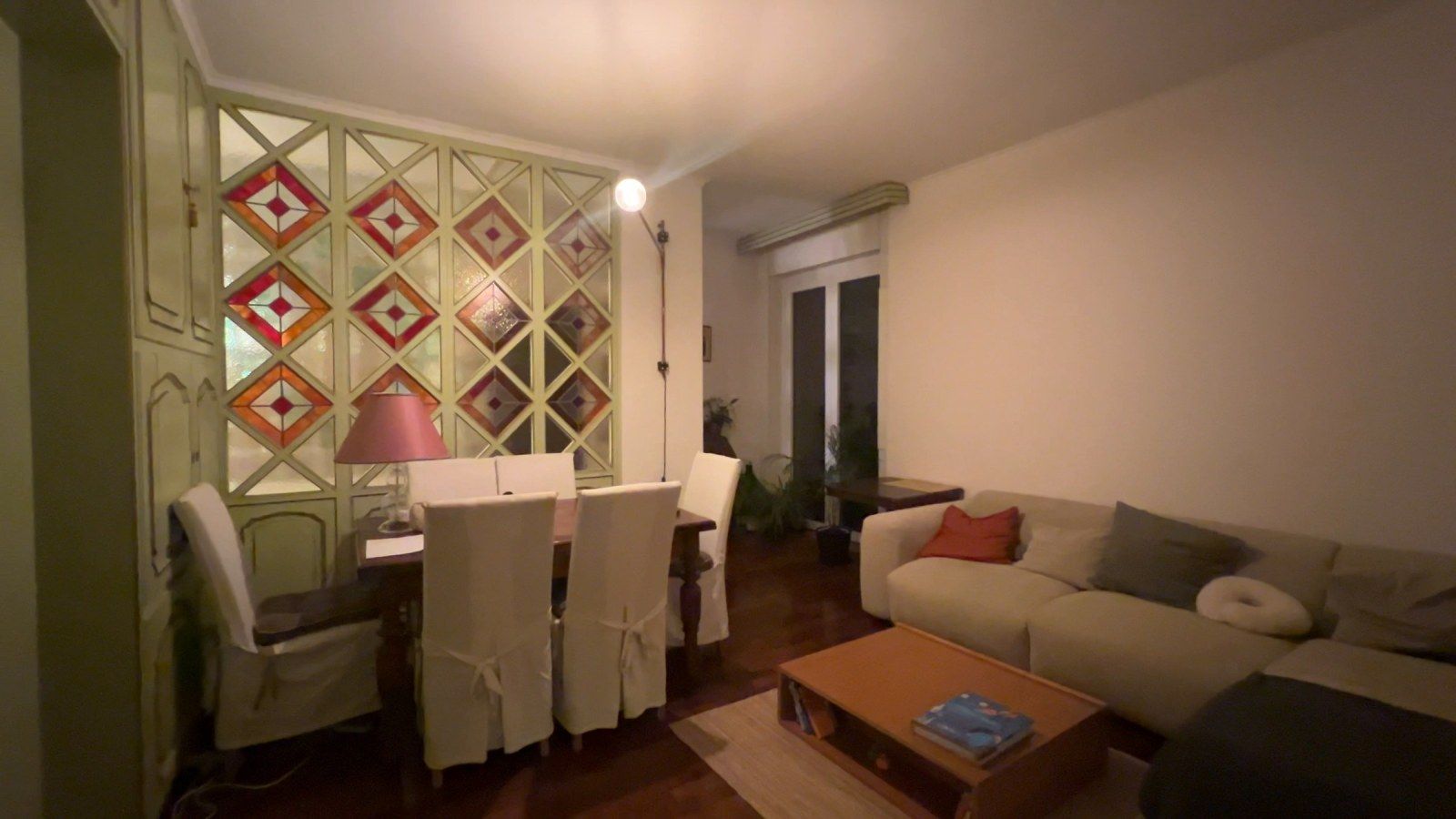
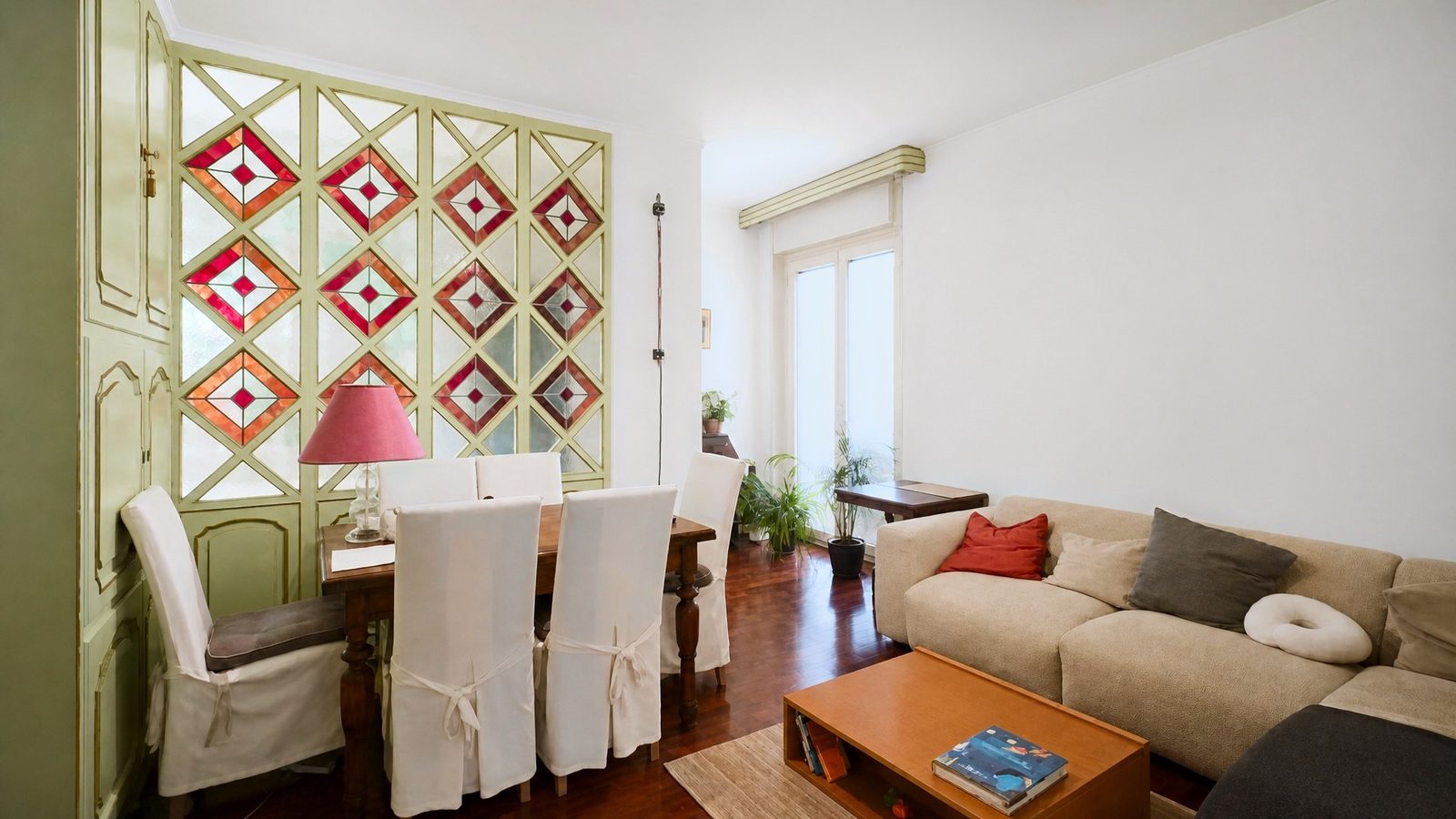
The «before» is the real frame from the video, filmed in the evening with the lights on. The «after» is the delivered photo.

Photo delivered by Eskatta: Living room Original video frame: Living room
ORIGINAL FRAME REAL PHOTO · AI-EDITED

Watch the whole film. Two minutes, from the viewing to the team.

After the album: the Lab, the property shared with colleagues and the owner filming for you.

What it doesn't do.

Remote owner

Is the home far away? The owner does the filming.

From the album, tap Create the code for the owner and send it. The owner films the rooms with the same guide, and the videos come to you.

  • The code is valid for 1 to 30 days and you can cancel it whenever you like.
  • The owner sees neither the final photos nor the credits.
  • You choose and generate the photos yourself, just as after a viewing.

The other solutions.

How to get started.

Create your account in the app or at eskatta.app: we're opening access gradually and we'll let you know when it's your turn, with 10 trial credits. With a colleague's code you join their agency straight away. Each delivered photo uses 1 credit; before confirming you always see how many are needed.

Create your account

Download on the App StoreGet it on Google Play